close

Evan Pip

Technology

How to Back Up Your Files Using Cloud Storage

In an increasingly digital world, safeguarding your files is critical. From personal photographs to professional documents, losing data can be a devastating experience. Cloud storage offers an efficient and secure way to ensure your files are protected and accessible whenever needed. This guide will provide a detailed explanation of how to back up your files using cloud storage effectively.

Understanding Cloud Storage

Cloud storage refers to storing data on remote servers managed by a cloud service provider. These servers are accessed via the internet, allowing users to save, retrieve, and share files without relying solely on physical storage devices such as hard drives or USB sticks.

The benefits of cloud storage are numerous. It eliminates the risk of data loss due to hardware failures or theft, offers flexibility to access files from anywhere, and provides scalability to store large amounts of data. Popular providers include Google Drive, Dropbox, Microsoft OneDrive, and iCloud.

Selecting the Right Cloud Storage Provider

Choosing a cloud storage service is the first and most important step. Not all providers offer the same features, so consider your needs carefully.

  1. Storage Capacity: Assess how much data you need to back up. For basic use, free plans may suffice, but businesses or individuals with extensive files might require premium subscriptions offering more space.
  2. Security Features: Ensure the provider uses encryption for file transfers and storage. Some providers also offer two-factor authentication for an added layer of protection.
  3. Compatibility: The cloud service should work seamlessly with your devices, whether they are Windows, macOS, Android, or iOS.
  4. Additional Features: Look for features like automatic backups, file versioning, and collaboration tools if these align with your requirements.

Organizing Your Files Before Backup

Proper organization of your files simplifies the backup process and ensures you can easily locate specific data later. Start by creating a folder structure on your device that mirrors your workflow or personal organization preferences.

  • Categorize Your Files: Group files into folders based on their type or purpose, such as “Work,” “Photos,” “Personal Documents,” or “Projects.”
  • Name Files Clearly: Use descriptive names to identify files quickly. Avoid vague names like “Document1” or “Image2.”
  • Remove Duplicates: Clear out redundant files to save storage space and keep your cloud backup streamlined.

Backing Up Files to the Cloud

Once your files are organized, it’s time to upload them to your chosen cloud storage service. Follow these steps to ensure a smooth process:

  1. Install the Cloud Storage App: Most providers have dedicated applications for desktop and mobile devices. Download and install the app for ease of access.
  2. Sign In to Your Account: Log in to your cloud account using your credentials. If you don’t have an account, create one on the provider’s website.
  3. Set Up Automatic Backups: Many services allow you to select folders on your device to back up automatically. This ensures your files are consistently updated without manual intervention.
  4. Manual Uploads: For one-time backups, you can manually upload files. Drag and drop files or use the upload button in the cloud storage interface.
  5. Monitor the Upload Process: Depending on the file size and internet speed, uploads may take time. Avoid interruptions during this process to prevent incomplete uploads.

Scheduling Regular Backups

Backing up your files should not be a one-time activity. Regular backups ensure your data remains up-to-date.

  • Weekly or Monthly Schedules: Decide how often your files should be backed up based on their frequency of updates. For frequently modified files, weekly backups are advisable.
  • Use Notifications: Enable reminders from your cloud storage provider to stay consistent with your backups.
  • Review Older Backups: Periodically check your cloud storage to remove outdated or unnecessary files, freeing up space for future backups.

Ensuring Data Security

Although cloud storage providers prioritize security, you should take additional precautions to safeguard your data.

  1. Use Strong Passwords: A robust password should combine uppercase and lowercase letters, numbers, and special characters. Avoid using common phrases or personal details.
  2. Enable Two-Factor Authentication: This adds an extra layer of security by requiring a verification code along with your password.
  3. Keep Your Software Updated: Ensure the app or software you use for cloud storage is up-to-date to benefit from the latest security features.

Benefits of Cloud Backups for File Management

Beyond protecting your files, cloud storage enhances your ability to manage and share data. It provides flexibility, allowing you to access files from multiple devices. Additionally, features like file-sharing links simplify collaboration, making it easier to work with teams or share memories with loved ones.

Cloud storage also supports scalability. Whether you’re an individual with minimal storage needs or a business managing vast amounts of data, most providers allow you to upgrade plans seamlessly as your requirements grow.

Final Thoughts on Cloud Storage for Backups

Backing up your files using cloud storage is a practical and reliable method to protect your data from unexpected loss. With the right provider, consistent organization, and a secure approach, you can enjoy peace of mind knowing your files are safe and accessible whenever needed.

read more
Technology

Benefits of Cloud Storage for Small Businesses

Cloud storage has become a cornerstone of modern business operations, offering remarkable advantages to companies of all sizes. For small businesses, in particular, it provides a cost-effective and efficient way to manage, store, and safeguard data. This article explores the numerous benefits of cloud storage, demonstrating why it is an indispensable tool for small enterprises seeking to thrive in today’s competitive landscape.

Cost Efficiency

One of the primary benefits of cloud storage for small businesses is its affordability. Traditional on-site storage solutions often involve high upfront costs for hardware, installation, and ongoing maintenance. Cloud storage eliminates these expenses by offering subscription-based plans that cater to varying needs and budgets.

Small businesses can start with a minimal storage plan and scale up as their data requirements grow. This flexibility allows businesses to allocate resources more effectively, ensuring they only pay for what they use. Additionally, cloud storage providers handle maintenance and updates, reducing the need for in-house IT expertise and further cutting costs.

Accessibility and Flexibility

Cloud storage empowers small businesses by enabling data access from virtually anywhere with an internet connection. Whether employees are working from the office, home, or on the go, they can retrieve important files and documents effortlessly. This accessibility promotes remote work and enhances productivity, especially for teams spread across different locations.

Moreover, cloud storage solutions are compatible with various devices, including laptops, tablets, and smartphones. This versatility ensures that employees can stay connected and productive, regardless of the tools they prefer to use.

Data Security

Protecting sensitive business information is a top priority for any company. Cloud storage providers invest heavily in advanced security measures to safeguard their clients’ data. Encryption protocols ensure that data is unreadable to unauthorized parties, while firewalls and multi-factor authentication add additional layers of protection.

For small businesses, this level of security is often more robust than what they could achieve with in-house solutions. Additionally, many providers conduct regular security audits and updates to stay ahead of emerging threats, giving small businesses peace of mind.

Collaboration and Productivity

Effective collaboration is essential for small businesses to operate efficiently. Cloud storage enables team members to share, edit, and access files in real time, streamlining workflows and reducing delays. Features such as version control ensure that teams are always working with the latest file versions, avoiding confusion and errors.

Many cloud storage solutions also integrate seamlessly with popular productivity tools like Google Workspace and Microsoft Office. This integration enhances the user experience and simplifies tasks such as document editing, project management, and communication.

Automatic Backups and Disaster Recovery

Data loss can be devastating for small businesses, whether caused by hardware failure, cyberattacks, or natural disasters. Cloud storage mitigates this risk by offering automatic backups and reliable disaster recovery options.

With cloud storage, files are regularly backed up to secure servers, ensuring that data remains intact even in the face of unexpected events. In the event of a system failure or other disruption, businesses can quickly restore their files and resume operations with minimal downtime. This resilience is invaluable for maintaining continuity and protecting a company’s reputation.

Scalability for Growing Needs

As small businesses grow, their data storage requirements often increase. Cloud storage provides the scalability needed to accommodate this growth without the need for significant investments in additional hardware.

Most providers offer tiered plans that allow businesses to upgrade their storage capacity with ease. This scalability ensures that small businesses can adapt to changing needs without disruption, supporting their long-term success.

Environmental Sustainability

Cloud storage also contributes to environmental sustainability by reducing the need for physical storage devices and on-site data centers. Providers optimize energy usage through efficient server management and consolidation, resulting in a smaller carbon footprint. For small businesses aiming to adopt eco-friendly practices, cloud storage represents a step in the right direction.

Simplified IT Management

Managing IT infrastructure can be a complex and time-consuming task, especially for small businesses with limited resources. Cloud storage simplifies this process by shifting the responsibility for hardware maintenance, software updates, and technical support to the provider.

This streamlined approach allows small businesses to focus on their core operations rather than worrying about IT-related challenges. It also reduces the need for specialized staff, freeing up valuable resources for other priorities.

Choosing the Right Cloud Storage Solution

To fully leverage the benefits of cloud storage, small businesses should carefully evaluate their options. Key factors to consider include storage capacity, security features, pricing, and customer support. Opting for a reputable provider with a proven track record ensures a smooth and reliable experience.

Cloud storage offers an array of benefits tailored to the needs of small businesses. From cost savings and enhanced collaboration to robust security and scalability, it is a practical and forward-thinking solution for managing data in today’s digital age. By adopting cloud storage, small businesses can streamline operations, protect valuable information, and position themselves for sustainable growth.

read more
Technology

Seamless Collaboration: Cloud File Sharing With Got Backup 2025

In today’s fast-paced digital landscape, effective collaboration is paramount for businesses striving to maintain a competitive edge. With teams often working remotely or across various locations, the need for robust file sharing solutions has never been more critical. Enter Got Backup 2025, a cutting-edge cloud file sharing platform designed to enhance productivity and streamline collaboration. This innovative service not only offers secure storage options but also facilitates seamless file sharing and real-time collaboration among team members, regardless of their geographic location. By integrating advanced features such as automated backups, intuitive user interfaces, and comprehensive file management tools, Got Backup 2025 empowers organizations to work more efficiently and effectively. In this article, we will explore the key functionalities of Got Backup 2025, highlighting how it addresses the challenges of modern teamwork and enhances overall workflow. We will also delve into its security measures, user experience, and integration capabilities that make it an essential tool for businesses looking to optimize their collaboration efforts. Whether you’re a small startup or a large enterprise, understanding the benefits of Got Backup 2025 can be pivotal in transforming how your team shares and manages files, ultimately leading to improved outcomes and success.

– Enhanced Security Features for File Sharing

The introduction of robust security features within Cloud File Sharing With Got Backup 2025 significantly enhances the protection of sensitive information. Advanced encryption protocols ensure that data is securely transmitted and stored, making it nearly impossible for unauthorized users to access confidential files. Multi-factor authentication adds another layer of security, requiring users to verify their identity through multiple means before gaining access to shared documents. This combination of encryption and authentication protocols not only safeguards the data but also fosters confidence among users, encouraging the sharing of vital information without the fear of breaches.

Moreover, the platform’s comprehensive audit logs and real-time monitoring capabilities allow organizations to track file access and changes meticulously. This level of transparency ensures that any suspicious activity is identified and mitigated promptly, further reinforcing the integrity of the file-sharing process. With these enhanced security measures, Cloud File Sharing With Got Backup 2025 creates a reliable environment for collaboration, where teams can focus on their work without the constant concern of data vulnerabilities.

Explore Got Backup 2025’s advanced security measures for safe cloud file sharing.

The integration of advanced security measures within Cloud File Sharing With Got Backup 2025 establishes a robust framework for safeguarding digital assets. Advanced threat detection systems monitor for anomalies and potential breaches, proactively securing shared files against unauthorized access. In addition, the platform employs end-to-end encryption, ensuring that files remain protected not just during transfer but also when stored in the cloud. This holistic approach to security allows organizations to operate confidently, knowing that their data is shielded from both external threats and internal vulnerabilities.

Furthermore, user permissions and role-based access controls are meticulously implemented to restrict file access based on individual responsibilities within the organization. This granularity not only minimizes the risk of data leaks but also enhances accountability, as actions taken on files can be traced back to specific users. By combining these strategies, Cloud File Sharing With Got Backup 2025 not only prioritizes security but also streamlines collaboration, enabling teams to work efficiently while maintaining the confidentiality of sensitive information.

– User-Friendly Interface for Seamless Collaboration

The design of Cloud File Sharing With Got Backup 2025 prioritizes a user-friendly interface that enhances productivity and encourages efficient teamwork. Intuitive navigation and a clean layout eliminate the barriers often associated with traditional file-sharing systems, empowering users of all technical backgrounds to participate in collaborative projects without friction. Features such as drag-and-drop functionality, customizable folders, and real-time notifications streamline workflows, allowing team members to focus on their tasks rather than grappling with complex technology.

Moreover, the platform fosters seamless collaboration through integrated communication tools that facilitate discussions around shared documents. Users can comment directly on files, share insights, and provide feedback in a centralized environment, reducing the need for external communication channels. This synergy not only improves the speed of decision-making but also cultivates a culture of collaboration, ensuring that every team member can contribute effectively to the collective goals of the organization. In this way, Cloud File Sharing With Got Backup 2025 not only simplifies file management but also enhances the overall collaborative experience, driving teams toward success.

Discover how the intuitive design simplifies cloud file sharing with Got Backup 2025.

The streamlined architecture of Cloud File Sharing With Got Backup 2025 significantly enhances user experience by minimizing the learning curve typically associated with new software solutions. By incorporating adaptive features that cater to individual user needs, the platform allows for a personalized approach to file organization and retrieval. This adaptability not only ensures quick access to important documents but also promotes a more intuitive interaction with the software, ultimately leading to increased satisfaction and adoption rates among users.

In addition to its ease of use, Cloud File Sharing With Got Backup 2025 emphasizes security and reliability, reassuring users that their data is well-protected during collaboration. Advanced encryption protocols and user access controls safeguard sensitive information, fostering trust among team members as they share and collaborate on files. This holistic approach to design not only simplifies the sharing process but also enhances the overall collaborative experience, making it an indispensable tool for modern teams aiming to achieve their goals efficiently and securely.

– Efficient Storage Solutions for Teams

Effective storage solutions play a crucial role in enhancing team productivity and collaboration. By leveraging the capabilities of Cloud File Sharing With Got Backup 2025, teams can efficiently manage their digital assets, ensuring that files are not only stored securely but also easily accessible to authorized users. The platform’s robust organizational features allow teams to categorize and prioritize their documents, facilitating quicker access to essential information and reducing time spent searching for files. This streamlined approach empowers teams to focus on their core tasks rather than getting bogged down by administrative burdens, ultimately improving overall efficiency.

Moreover, the integration of real-time collaboration tools within Cloud File Sharing With Got Backup 2025 enables teams to work simultaneously on projects, fostering a more dynamic and responsive workflow. With cloud-based storage, team members can easily sync their updates, ensuring that everyone is on the same page regardless of their location. This flexibility not only enhances creativity and innovation, as individuals can contribute ideas in real time, but also reinforces a culture of collaboration, making it easier for teams to achieve their goals collectively.

Learn about the storage capabilities that enhance collaboration in Got Backup 2025.

The advanced storage capabilities in Cloud File Sharing With Got Backup 2025 significantly enhance collaboration by providing flexible access controls and version management features. Users can assign specific permissions to different team members, ensuring that sensitive information remains protected while still promoting a collaborative environment. Additionally, the platform’s version history feature allows users to track changes made to documents, facilitating accountability and enabling teams to revert to previous iterations if needed. This fosters a culture of transparency, as team members can see who contributed what and when, ultimately enhancing trust and collaboration within the group.

Furthermore, the ability to store and retrieve large files with ease makes Cloud File Sharing With Got Backup 2025 an ideal solution for teams that rely on rich media assets or extensive datasets. The platform’s scalability ensures that as a team’s storage needs grow, it can effortlessly accommodate additional resources without compromising performance. By centralizing all files in a secure, cloud-based environment, teams can avoid the pitfalls of fragmented data storage and enhance their collaborative efforts, ensuring everyone has immediate access to the latest information regardless of their physical location.

In conclusion, Got Backup 2025 exemplifies the future of seamless collaboration through its innovative cloud file-sharing solutions. By prioritizing user-friendly interfaces and robust security measures, the platform fosters an environment where teams can efficiently share and access critical files from anywhere in the world. As organizations increasingly rely on remote work and digital tools, Got Backup 2025 positions itself as an essential resource for enhancing productivity and collaboration. Its commitment to continuous improvement and adaptation to user needs ensures that it will remain a vital component of modern business operations, empowering teams to achieve their goals with ease and confidence.

read more
Technology

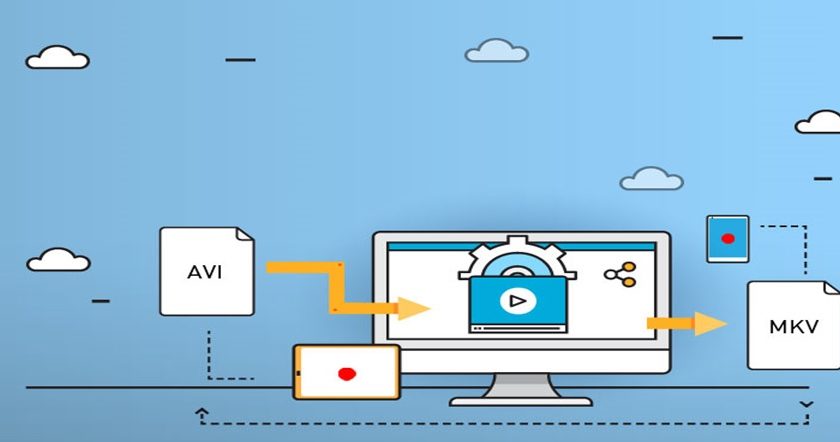
Media Conversion and How Transcoding Will Benefit You

In the digital age, audiovisual content has assumed a central role in the domains of communication, entertainment, and education. With the proliferation of devices and platforms. Having accessibility and interoperability across several media platforms is crucial.

In this case, media conversion services are helpful. These services are designed for converting movie files between various formats. As so, they may be seen and shared on many platforms and gadgets.

Regardless matter whether you are a content creator looking to reach a wider audience. Or a business hoping to sell themselves through video. A person could also want to preserve and share personal memories.

Let’s investigate the scope of such a media conversion service in the contemporary digital landscape. It might be quite beneficial to comprehend video conversion services.

Video transcoding: what is it?

It’s the process of converting cinematic files to another format. All it takes to do this is to adjust the parameters. This includes resolution, encoding, and bitrate.

Utilizing cinematic transcoding as a free service is becoming crucial for companies of all sizes. It is becoming increasingly important to use this to engage and connect with end users. However, establishing effective processes might be challenging.

The range of device types and bandwidth requirements is the cause of this. This enables you to create files with various resolutions and bitrates.

It is also possible to increase quality. So providing viewers with greater control and options over their viewing experience.

How does it operate?

This comprehensive term encompasses media file encryption, processing, and decoding. Transcoding begins with software analysis of the original contents. To determine the audio and video codecs, bitrate, frame rate, and resolution.

After that, the application compares the results with the requirements for a playback framework. If the data gathered doesn’t make sense for the platform. The audio and video files are converted using the steps listed below:

  1. De-multiplexing

Demuxing analyzes a file to identify each distinct signal. The process dissects each of these signals into its component pieces. Then, it may improve each component independently, depending on the desired output format. Go to https://wiki.videolan.org/Demuxing/ for added info.

  1. Processing after Decoding

The compressed component is decoded to produce an uncompressed format. Examples of common, intermediate formats that help maintain the film’s quality include RGB and YUV.

Both software and hardware can be used for decoding. While software decoding provides more flexibility, hardware decoding is faster.

After that, inverse quantization is used to retrieve the original pixel values from each movie frame. Inverse quantization is used to recreate the reduced data.

This outcome is rounded off after the quantization coefficient has been raised by a comparable step size. This not only deblocks and compensates the film, but also reconstructs and smoothes it.

The data is then subjected to postprocessing optimization. This covers modifications like scaling, color correction, and frame-rate conversion.

  1. Encoding

After the application has processed the uncompressed footage, it is encoded into a whole new video codec or type. At this point, the film is compressed into a codec type compatible with the target platform or format.

For that specific platform, the transcoding software could optimize its output. At that point, the encoding settings are appropriately configured.

  1. Multiplexing

Finally, the transcoding software uses muxing to merge all of the separate components into a single multimodal file. A single package including the re-encoded content, subtitles, and audio streams is created. At this stage, the application can also add information to the output.

Important Benefits

Media conversion is essential for businesses because it provides the following advantages:

  • Improving the Quality

Consumers anticipate a flawless visual experience with crisp pictures. By improving your audiovisual clip, you may accomplish this. Just changing a few factors. You may make the most of your cinematographic material’s resolution. This includes codec, resolution, and bitrate settings.

By modifying these variables, you may create the optimal configurations for different devices. You can also lower the total amount of data you transfer across the network.

As transmission efficiency increases, buffering decreases. Another choice is to improve a user’s experience with online streaming.

  • Expanding the Audience

Converting video and audio clips to new media formats is made possible by this. For example, you will need to transcode part of a YouTube film to use it on another social networking site.
Devices, platforms, and operating systems all support multiple formats. Reaching a wider audience is made possible by this flexibility. Of course, without the user’s device or operating system preventing them from discovering your film.

  • Savings

Another technique you can employ to adapt to various network conditions is media conversion. The cinematic’s file size is decreased by compression to account for different bandwidth capacities. Consequently, transfer costs will be reduced.

Optimizing the format of film can help reduce the cost of transmission or storage. This strategy is effective for streaming services and other websites that host movies.

read more
Business

How Resume Services Tailor Your Resume to Job Descriptions

In the competitive world of job hunting, a one-size-fits-all resume no longer suffices. Employers are increasingly seeking candidates who present a tailored fit for their specific job openings, making it essential to adapt your resume to each unique job description. This is where professional resume services come into play, offering invaluable assistance in crafting resumes that stand out to hiring managers. But how exactly do these services tailor your resume to align with job descriptions? In this article, we will explore how resume services customize your resume, ensuring it highlights your qualifications in the most compelling way possible.

Understanding the Importance of Tailoring a Resume

Before diving into how resume services help you tailor your resume, it’s crucial to understand why customization is so important. Job descriptions are designed to provide employers with a detailed outline of the skills, experience, and qualifications they expect from candidates. By aligning your resume with these requirements, you increase your chances of catching the recruiter’s eye and passing through applicant tracking systems (ATS), which are frequently used to filter resumes before they reach human eyes.

A tailored resume makes it clear to potential employers that you possess the exact qualifications they’re looking for, while also demonstrating that you’ve taken the time to understand the specific needs of the role. In many cases, employers only spend a few seconds scanning a resume, so it’s essential that the most relevant skills and experience are immediately visible.

How Resume Services Tailor Your Resume to Job Descriptions

  1. Keyword Optimization for ATS Compatibility

Applicant tracking systems (ATS) are software tools that many employers use to streamline the hiring process. ATS scans resumes for specific keywords related to the job description and ranks candidates based on how well their resumes align with the posted requirements. Resume services are well-versed in how ATS works, and they optimize your resume to pass through these systems successfully.

When tailoring your resume to a specific job description, a resume service carefully analyzes the job listing for relevant keywords, phrases, and skills. These keywords are then incorporated into your resume, ensuring that it ranks highly when processed by ATS software. This optimization increases the likelihood of your resume making it to a hiring manager or recruiter. Importantly, resume services will ensure that these keywords are integrated naturally into your resume, rather than stuffing it with irrelevant terms.

  1. Highlighting Relevant Skills and Experience

Resume services focus on identifying the skills and experiences most relevant to the job you’re applying for. Rather than listing every role you’ve ever held, the service will strategically select and emphasize your accomplishments and skills that align with the job description. This personalized approach ensures that your resume presents the most impactful information right at the forefront.

For example, if a job description emphasizes project management skills, a resume service will ensure that any relevant experience you have in managing projects is clearly highlighted. By focusing on what matters most to the employer, your resume becomes a powerful tool that shows you can add immediate value to the organization.

  1. Tailored Job Descriptions for Previous Roles

One of the most significant ways resume services tailor your resume to job descriptions is by revising the descriptions of your past roles. They will adapt the language used to describe your previous positions, making sure that it aligns with the terminology and skills used in the job description. By rephrasing your job duties and achievements in a way that mirrors the employer’s language, you increase the relevance of your resume and ensure that it resonates with hiring managers.

For instance, if the job description specifies “client relationship management,” the resume service might revise your past job description to emphasize your experience in managing client accounts, fostering long-term relationships, or achieving customer satisfaction goals. This alignment creates a cohesive narrative that matches what the employer is seeking, helping you stand out as a top candidate.

  1. Customization of Professional Summary or Objective

A resume service will work with you to craft a professional summary or objective that directly addresses the requirements of the job you are applying for. The summary section of your resume provides an opportunity to introduce yourself in a few sentences, highlighting your most relevant skills and qualifications. Resume services know how to tailor this section so it grabs the hiring manager’s attention immediately.

For example, if you’re applying for a marketing manager position, a resume service will craft a summary that emphasizes your strategic thinking, leadership in managing marketing campaigns, and ability to drive revenue. By focusing on the aspects of your career that align with the employer’s needs, the resume service ensures that your summary is not only impactful but also personalized to the specific role.

  1. Emphasizing Quantifiable Achievements

Hiring managers are interested in results. A resume service helps you present your achievements in a way that demonstrates your impact in previous roles. They will assist in quantifying your accomplishments—such as increasing sales by a certain percentage, managing a team of a specific size, or completing projects ahead of schedule.

This data-driven approach allows you to stand out among other candidates by showcasing the tangible value you’ve brought to your previous employers. By linking these achievements directly to the qualifications mentioned in the job description, a resume service helps create a compelling case for your candidacy.

  1. Reformatting and Structuring the Resume for Impact

The structure and design of your resume also play a critical role in ensuring it resonates with the hiring manager. Resume services are skilled in presenting your qualifications in a clean, easy-to-read format that highlights the most relevant sections of your resume. Whether it’s adjusting the order of sections, modifying the layout, or using visual elements such as bullet points or bolded headings, resume services optimize the design to ensure that the most important details stand out.

A tailored resume might prioritize certain sections based on the job description. For instance, if the job emphasizes leadership experience, the resume service may move your “Leadership” section toward the top, ensuring that it catches the eye of hiring managers.

  1. Adapting to Different Job Levels and Industries

Whether you’re applying for an entry-level position or an executive role, a resume service will adjust your resume accordingly. The tone, level of detail, and the way your experience is presented will vary depending on the job’s seniority and the industry. Resume services understand how to position your skills and experience based on the specific demands of different roles.

For an entry-level position, a resume service may focus more on your education, relevant internships, and transferable skills. For more senior roles, the service will highlight leadership accomplishments, strategic thinking, and measurable impacts you’ve made within previous organizations.

Why Tailoring Your Resume Matters

Tailoring your resume to match a job description is essential for standing out in today’s competitive job market. A generic resume is unlikely to attract the attention of hiring managers, especially in industries where applicants are vying for the same role. By working with a resume service to customize your resume, you ensure that your qualifications are highlighted in a way that resonates with the specific needs of each employer.

Resume services not only improve your chances of passing through ATS filters but also help you present your qualifications in the best possible light. By aligning your resume with job descriptions, you increase your chances of landing an interview and ultimately securing the job you desire.

read more
Technology

The Role of Artificial Intelligence in Cybersecurity

In today’s digital age, cybersecurity has become a critical concern for individuals, businesses, and governments alike. With the increasing sophistication of cyber threats, traditional security measures are no longer enough to protect sensitive data and systems from malicious actors. Artificial Intelligence (AI) has emerged as a powerful tool in the fight against cybercrime, offering innovative solutions to detect, prevent, and respond to cyber threats more effectively than ever before. This article explores the growing role of AI in cybersecurity and how it is reshaping the landscape of digital protection.

1. AI-Driven Threat Detection: Enhancing Accuracy and Speed

One of the primary ways AI is transforming cybersecurity is through advanced threat detection. Traditional methods of identifying cyber threats, such as signature-based detection, often struggle to keep up with rapidly evolving attack techniques. These methods rely on predefined patterns of known threats, which leaves systems vulnerable to new or mutated forms of attacks.

AI, particularly machine learning (ML), allows cybersecurity systems to learn from vast amounts of data, identify patterns, and detect anomalies in real-time. By analyzing network traffic, user behavior, and system logs, AI can identify suspicious activities that deviate from normal patterns. For example, an AI system might detect an unusual login attempt at an odd hour, an abnormal data transfer, or a change in user behavior that could signal a potential breach. These systems can then alert security teams to take immediate action, often before any significant damage is done.

Machine learning models can also be trained to improve their detection capabilities over time, adapting to new attack methods without requiring manual updates. This makes AI-driven threat detection more effective and efficient compared to traditional approaches.

2. Automating Response to Cyber Threats: Reducing Human Error and Response Time

While detecting cyber threats is essential, responding to them in a timely manner is equally important. Traditional cybersecurity systems often rely on human intervention to address potential security incidents, which can lead to delays and human errors, especially in high-pressure situations. AI can automate many aspects of the response process, ensuring faster and more accurate actions.

For instance, AI can automatically isolate compromised devices, block suspicious IP addresses, or revoke access to compromised user accounts. These automated responses significantly reduce the time it takes to contain a threat, allowing security teams to focus on more complex tasks and minimizing the impact of an attack. Furthermore, AI can continuously monitor systems and update security measures in real-time, ensuring that responses are always aligned with the latest threat intelligence.

By automating these processes, AI also helps eliminate the risk of human error, which can occur when security professionals are overwhelmed by the sheer volume of alerts and incidents they must manage.

3. Predictive Analytics: Anticipating Future Cyber Attacks

Another key advantage of AI in cybersecurity is its ability to predict potential cyberattacks before they happen. Predictive analytics involves using AI to analyze historical data, identify trends, and make informed predictions about future events. In the context of cybersecurity, AI systems can analyze vast amounts of data from past incidents, including attack vectors, tactics, and vulnerabilities, to identify emerging threats.

By recognizing patterns in cybercriminal activity, AI can forecast where and how future attacks are likely to occur. For example, if a specific type of malware has been increasingly used in recent attacks, an AI system might predict that it will be used in future attacks and alert security teams to take preventive measures. This proactive approach allows businesses and organizations to fortify their defenses before an attack occurs, reducing the likelihood of a successful breach.

4. Enhancing User Authentication: Strengthening Identity Management

User authentication is a crucial component of cybersecurity, as many breaches occur due to weak or stolen login credentials. Traditional methods, such as passwords or security questions, are often vulnerable to brute-force attacks or social engineering tactics. AI can play a key role in enhancing authentication processes through biometric recognition and behavioral analysis.

Biometric authentication, such as fingerprint scanning, facial recognition, and voice recognition, is becoming increasingly popular as a more secure alternative to passwords. AI algorithms can analyze biometric data to verify a user’s identity with high accuracy, making it significantly more difficult for attackers to impersonate legitimate users.

Additionally, AI can be used to monitor user behavior and detect anomalies in how individuals interact with systems. For instance, if a user’s typing pattern, mouse movements, or login habits suddenly change, AI can flag this as potentially suspicious activity and prompt additional authentication measures, such as multi-factor authentication (MFA). This helps ensure that only authorized users have access to sensitive systems and data.

5. AI-Powered Vulnerability Management: Identifying and Mitigating Risks

AI can also assist organizations in identifying vulnerabilities within their networks and applications. Cybercriminals often exploit weaknesses in software, hardware, or network configurations to launch successful attacks. Manual vulnerability scanning and patch management can be time-consuming and prone to oversight, especially in large, complex systems.

AI-powered vulnerability management tools can automate the process of scanning for vulnerabilities, assessing their severity, and prioritizing patches based on the risk they pose. These tools can quickly identify security flaws and suggest corrective actions, ensuring that critical vulnerabilities are addressed before they can be exploited. By continuously monitoring systems for new vulnerabilities and recommending timely updates, AI helps organizations stay ahead of potential threats and minimize their exposure to cyberattacks.

6. AI in Threat Intelligence Sharing: Collaborating for Better Security

Threat intelligence sharing has become an essential practice in the cybersecurity industry, as it allows organizations to share information about emerging threats and vulnerabilities. However, manually processing and analyzing large volumes of threat data can be a daunting task. AI can streamline this process by automating the analysis and aggregation of threat intelligence from multiple sources.

AI-powered systems can quickly sift through vast amounts of data from security reports, social media, dark web forums, and other sources to identify relevant information about potential threats. This enables organizations to stay informed about the latest cyber risks and collaborate more effectively with others in the cybersecurity community. By automating the process of gathering and analyzing threat intelligence, AI helps organizations respond to emerging threats more swiftly and effectively.

7. Enhancing Security for IoT Devices: Protecting the Connected World

The proliferation of Internet of Things (IoT) devices has introduced new challenges for cybersecurity, as many of these devices lack the robust security features found in traditional computing systems. AI is playing a vital role in securing IoT networks by monitoring device behavior, detecting unusual activities, and ensuring that IoT devices are not being used as entry points for cyberattacks.

AI can be used to continuously monitor the communication between IoT devices and identify any deviations from normal behavior. If an IoT device starts sending suspicious data or attempting to connect to unauthorized networks, AI can immediately alert security teams and take corrective action. Additionally, AI can help identify vulnerabilities in IoT devices before they are exploited, ensuring that organizations maintain a strong security posture as they adopt new technologies.

Conclusion

Artificial Intelligence is redefining cybersecurity by providing faster, more accurate threat detection, automating responses, and enabling proactive measures to predict and prevent cyberattacks. With its ability to enhance user authentication, improve vulnerability management, and secure IoT networks, AI is an indispensable tool in the ongoing battle against cybercrime. As cyber threats continue to evolve, the role of AI in cybersecurity will only become more significant, offering organizations the means to stay one step ahead of malicious actors and protect their digital assets. By embracing AI-driven security solutions, businesses can ensure that their defenses are robust, adaptive, and ready for the challenges of tomorrow’s digital landscape.

read more
Technology

Data Visualization in Spinal Injury Recovery

Recovering from spinal injuries is a complex path that calls for a combination of medical knowledge, patient wilfulness, and—increasingly—technical help. Data visualisation is one of the instruments becoming more and more important in this discipline as it is a strong way to clearly and practically show difficult recovery mechanisms. Renowned for its adaptability and real-time features, JavaScript charts are helping to improve the standard of treatment and monitor recovery.

A developer from SciChart, a leading provider of JavaScript charts tools, commented on the subject: “In spinal injury recovery, the need for precision and clarity in data representation is critical. Real-time updates and interactive features of modern charting tools empower clinicians and patients alike, offering a clearer picture of the recovery trajectory.” This insight underscores the transformative potential of well-designed visualization tools in healthcare.

Understanding Spinal Injury Recovery

Spinal injuries are life-altering events that demand a comprehensive rehabilitation approach. Depending on the severity and location of the injury, recovery can involve multiple medical disciplines, including physiotherapy, neurology, and occupational therapy. Monitoring progress over weeks, months, or even years becomes essential in tailoring the most effective treatment strategies.

Traditionally, patient data was recorded in tabular formats or static charts, which often lacked the depth and immediacy required for nuanced decision-making. With the rise of advanced visualization tools, clinicians now have the means to turn vast amounts of data into interactive, digestible insights.

The Role of Data Visualization

Data visualization in spinal injury recovery serves several purposes. Firstly, it allows clinicians to analyze large datasets efficiently. Spinal injuries often involve monitoring numerous metrics, such as muscle strength, range of motion, pain levels, and neurological responses. Presenting this data visually not only simplifies analysis but also helps identify patterns and anomalies.

Secondly, data visualization fosters better communication between patients and healthcare providers. For a patient navigating the uncertainties of recovery, seeing progress in the form of a graph or chart can be incredibly motivating. It also helps patients grasp the rationale behind treatment adjustments, fostering a sense of involvement and trust in the process.

Lastly, visualization tools assist in research and long-term studies. By mapping the recovery journeys of multiple patients, researchers can identify trends, test hypotheses, and refine treatment protocols. JavaScript charts, in particular, are often employed in these scenarios for their adaptability and ability to handle real-time data streams.

Innovations in Charting Technologies

The evolution of charting libraries has been instrumental in the growing adoption of data visualization in healthcare. JavaScript charts are a prime example of how these technologies are adapting to the needs of complex domains like spinal injury recovery. Their interactive features, such as zooming, panning, and dynamic updates, allow clinicians to delve deeper into the data without overwhelming users with static visuals.

For instance, real-time monitoring of muscle activity during physiotherapy sessions can be displayed on a line graph generated with JavaScript. These charts update instantly as new data is received from sensors or wearable devices, providing immediate feedback to both the therapist and the patient.

Furthermore, heatmaps and scatter plots can be used to represent pain levels across different areas of the spine or body, enabling targeted interventions. With JavaScript charting libraries, these visualizations can be seamlessly integrated into existing software platforms used by clinics, ensuring accessibility and usability.

Real-World Applications

In practice, data visualization is transforming spinal injury rehabilitation in several ways. Wearable devices, equipped with sensors to measure movement, posture, and muscle activity, generate a steady stream of data. This information is processed and displayed through interactive charts, allowing therapists to evaluate the efficacy of exercises and make adjustments in real time.

Telemedicine is another area where visualization is making strides. Remote consultations have become a necessity in modern healthcare, especially for patients in remote or underserved regions. Using JavaScript charts in telehealth applications, doctors can review patient progress, compare it to baseline metrics, and communicate next steps effectively.

Additionally, data visualization is invaluable in surgical recovery tracking. Post-operative patients often require careful monitoring to ensure that there are no complications and that they are regaining functionality. Interactive dashboards displaying recovery metrics can help surgeons and rehabilitation teams coordinate efforts and stay informed.

Challenges and Considerations

While the benefits of data visualization are undeniable, there are challenges to its implementation. One major concern is data accuracy. Inaccurate or incomplete data can lead to misleading visualizations, which may have adverse consequences for patient care. Ensuring that input data is validated and reliable is paramount.

Another challenge is accessibility. For some patients, especially those with cognitive impairments or older adults unfamiliar with digital tools, interpreting complex charts might be difficult. Designing intuitive and user-friendly visualizations is essential to ensure inclusivity.

Privacy and data security are also significant concerns. Medical data is highly sensitive, and any digital solution must comply with stringent regulations such as the General Data Protection Regulation (GDPR) in the UK. JavaScript charts, being part of web-based technologies, must be implemented within secure frameworks to prevent unauthorized access or breaches.

The Future of Visualization in Rehabilitation

The integration of artificial intelligence (AI) and machine learning (ML) is set to elevate the role of visualization in spinal injury recovery. Predictive analytics powered by AI can help forecast recovery timelines, anticipate complications, and recommend personalized treatment adjustments. When combined with JavaScript charts, these insights can be presented in a way that is both actionable and comprehensible.

Virtual reality (VR) and augmented reality (AR) are also emerging as complementary tools in rehabilitation. By combining these immersive technologies with real-time data visualization, patients can engage in gamified therapy sessions that track and display their performance dynamically. This blend of motivation and feedback could revolutionize the rehabilitation experience.

Moreover, advancements in wearable technology will continue to feed more detailed and nuanced data into visualization platforms. From smart exoskeletons to neural sensors, these devices will expand the range of measurable metrics, enabling even more comprehensive assessments of patient progress.

Conclusion

Data visualization is reshaping the landscape of spinal injury recovery by making complex data accessible, actionable, and engaging. Through tools like JavaScript charts, clinicians and patients can navigate the intricate path of rehabilitation with greater clarity and confidence. The integration of cutting-edge visualization technologies into healthcare not only enhances outcomes but also fosters a collaborative and informed approach to recovery.

As the field continues to evolve, the potential for data visualization to improve lives becomes even more apparent. By embracing these innovations, we can look forward to a future where recovery journeys are not just tracked but actively guided by insights gleaned from visualized data.

read more
Technology

The Ethics of AI: Challenges and Considerations

As artificial intelligence (AI) continues to permeate various aspects of society—from healthcare and finance to education and law enforcement—ethical considerations surrounding its use are becoming increasingly vital. The integration of AI technologies raises complex questions about fairness, accountability, transparency, and the broader implications for humanity. This article explores the ethical challenges and considerations associated with AI, aiming to provide a comprehensive understanding of the responsibilities that come with its deployment.

Understanding the Ethical Landscape

Ethics in AI encompasses a wide array of topics, including how AI systems are designed, who controls them, and the impact they have on individuals and communities. Given the potential for AI to influence decisions that affect people’s lives, understanding these ethical dimensions is crucial.

1. Bias and Fairness

One of the most pressing ethical concerns in AI is bias. AI systems are trained on data that may reflect societal prejudices, leading to biased outcomes that can perpetuate discrimination.

  • Data Bias: AI models learn from historical data, which may contain inherent biases. For example, if a hiring algorithm is trained on data from a company that has a history of favoring one demographic over another, the algorithm may inadvertently favor candidates from that demographic in future hiring decisions.
  • Fairness in Decision-Making: The fairness of AI systems is often measured by their ability to treat similar individuals equally. However, defining what constitutes fairness can be complex. Different stakeholders may have varying views on what is fair, and implementing fairness in AI requires careful consideration of these perspectives.

2. Accountability and Transparency

As AI systems increasingly make autonomous decisions, questions about accountability arise. If an AI system makes an erroneous decision, it is essential to identify who is responsible.

  • Accountability: Determining accountability can be challenging, especially in cases where AI systems operate independently. If a self-driving car is involved in an accident, for instance, is the manufacturer, the software developer, or the vehicle owner responsible? Establishing clear accountability frameworks is critical to ensuring ethical AI deployment.
  • Transparency: Transparency in AI systems involves making the decision-making processes understandable to users and stakeholders. Black-box algorithms, which operate in ways that are not transparent, can lead to mistrust and hinder accountability. Efforts to develop explainable AI aim to provide insights into how decisions are made, enhancing user trust.

3. Privacy Concerns

AI systems often rely on large datasets, which can include personal information. The collection and use of this data raise significant privacy concerns.

  • Data Collection: The extent of data collection can be invasive, as AI systems often gather information about individuals without their explicit consent. For example, facial recognition technologies can track individuals’ movements in public spaces, raising alarms about surveillance and privacy violations.
  • Data Usage: How collected data is used also raises ethical questions. Companies may use personal data for purposes beyond what users initially consented to, such as targeted advertising or selling data to third parties. Establishing clear guidelines for data usage is essential to protect individuals’ privacy.

4. Job Displacement

The rise of AI technologies brings with it concerns about job displacement and the future of work. Automation has the potential to significantly alter labor markets, with some jobs becoming obsolete.

  • Economic Impact: While AI can improve efficiency and productivity, it can also lead to significant job losses in sectors heavily reliant on routine tasks. Workers may find it challenging to transition to new roles that require different skill sets, leading to economic instability for affected individuals and communities.
  • Reskilling and Support: Addressing job displacement necessitates proactive measures, including reskilling initiatives and support for affected workers. Ethical considerations in AI deployment should include strategies to mitigate negative economic impacts on the workforce.

5. Security and Safety

AI systems can pose risks if not designed and implemented with security in mind. Ethical considerations must encompass the safety and security of AI applications.

  • Cybersecurity: AI technologies are susceptible to hacking and malicious attacks. Ensuring the security of AI systems is crucial to prevent unauthorized access and potential misuse, especially in critical applications such as healthcare and autonomous vehicles.
  • Safety Protocols: For AI systems that operate in real-world environments—such as drones or autonomous vehicles—robust safety protocols must be established to protect users and the public. Ethical AI development involves prioritizing safety in system design and deployment.

The Role of Governance

To navigate the ethical complexities of AI, effective governance frameworks are essential. These frameworks should encompass guidelines for responsible AI development and deployment.

1. Ethical Guidelines

Developing clear ethical guidelines for AI is vital for stakeholders, including developers, companies, and policymakers. These guidelines can serve as a roadmap for responsible AI use, addressing issues such as bias, accountability, and privacy.

2. Regulatory Oversight

Governments and regulatory bodies should play an active role in overseeing AI technologies. Establishing regulations that protect individuals’ rights and promote ethical standards can help mitigate risks associated with AI deployment.

3. Stakeholder Engagement

Engaging diverse stakeholders—including ethicists, technologists, policymakers, and the public—in discussions about AI ethics is crucial. Collaborative efforts can lead to more inclusive and comprehensive approaches to ethical challenges.

Looking Ahead

The future of AI presents both opportunities and challenges. As technologies continue to evolve, so too must our understanding of the ethical implications. By addressing issues such as bias, accountability, privacy, and job displacement, society can harness the power of AI while mitigating its risks.

Cultivating an Ethical Culture

Creating a culture of ethics within organizations that develop and deploy AI technologies is essential. Promoting ethical awareness and responsibility among AI practitioners can lead to more thoughtful and ethical decision-making.

Embracing Innovation Responsibly

As AI continues to shape various aspects of society, embracing innovation must be balanced with ethical considerations. Ensuring that AI serves humanity’s best interests is a responsibility that falls on all stakeholders involved in its development and deployment.

In navigating the ethical landscape of AI, we must remain vigilant, thoughtful, and committed to fostering a future where technology enhances the human experience while respecting fundamental rights and values.

read more
Business

How does an amazon agency enhance your advertising strategy?

An Amazon agency is a specialized marketing agency that helps brands and businesses optimize their presence and performance on Amazon. These agencies deeply understand the Amazon platform, its algorithms, and the behaviours of its consumers. By leveraging this knowledge, Amazon agencies help businesses enhance their advertising strategies and improve their overall performance in the marketplace. So, how can an Amazon agency enhance your advertising strategy, and why should you consider hiring one? Let’s take a detailed look at the benefits they bring to the table:

  1. Amazon marketplace expertise

The Amazon marketplace is a unique and complex ecosystem. Unlike traditional e-commerce, it has its rules, algorithms, and best practices. Amazon agencies are experts in this domain, keeping a constant pulse on the latest platform updates and changes. They understand the intricacies of Amazon’s search algorithm, product ranking factors, and the factors that influence consumer behaviour on the site. Their expertise enables them to develop strategies aligned with Amazon’s guidelines and best practices, increasing your chances of success.

  1. Strategic advertising & campaign management

Amazon agencies will work with you to understand your business goals, target audience, and unique selling points. They can use this information to develop tailored advertising campaigns that highlight your products’ strengths and target the right consumers. By leveraging their expertise in campaign structure, keyword selection, and bid optimization, they help improve your ad performance and return on investment (ROI).

  1. Enhanced brand presence & content optimization

Optimizing your product listings is crucial to standing out in the crowded Amazon marketplace. Amazon agencies employ skilled copywriters and content specialists who enhance your brand presence through compelling and SEO-friendly product descriptions, titles, and bullet points. Your product listings will be optimized for your target audience’s searches, have clear and concise explanations, and highlight the key benefits and features. Amazon agencies assist with A+ Content and brand store creation, further elevating your brand’s presence and providing customers with a more engaging shopping experience.

  1. Keyword research and optimization

Keywords are the backbone of any successful Amazon advertising strategy. Amazon agencies have sophisticated tools and techniques to conduct in-depth keyword research, identifying your target audience’s terms when searching for products like yours. They will analyze competition levels, search volumes, and relevance to find the most effective keywords for your campaigns and product listings. By optimizing your keyword strategy, Amazon agencies ensure that your products are more visible to potential customers, driving more organic traffic and increasing the likelihood of conversions.

  1. Leveraging agency partnerships

When you work with an amazon agency, you gain access to a team of Amazon experts and benefit from their established partnerships and industry connections. Many Amazon agencies have cultivated relationships with Amazon itself, gaining early access to new features and tools through programs like Amazon’s Service Provider Network (SPN). These Amazon agencies are often invited to beta-test new features and receive exclusive training, which they can leverage to enhance their clients’ strategies. With their partnerships, you can access other e-commerce service providers, including photography studios and software solutions.

  1. Holistic approach to amazon’s success

Amazon agencies take a holistic view of your business, understanding that success on Amazon requires a multi-faceted approach. They consider all aspects of your Amazon presence, from product listings and advertising to customer service and feedback management. By addressing these components and ensuring they work harmoniously, Amazon agencies can help you build a solid and reputable presence in the marketplace. By working with them, you achieve higher visibility, higher sales, and more efficient advertising, driving your business forward.

read more
Business

The Ultimate Guide to WordPress Maintenance Services

The longevity and efficacy of your WordPress site hinge significantly on regular and proactive maintenance. WordPress Maintenance Services encompass a broad spectrum of activities designed to ensure your website operates at its best. This comprehensive guide will explore how these services can extend the functional lifespan of your site and keep it running smoothly.

Regular Backups and Data Protection

Data is the lifeblood of any website, and safeguarding it is paramount:

  • Scheduled Backups: Regular, automated backups to secure locations, ensuring data integrity no matter what happens.
  • Data Recovery Solutions: Quick restoration capabilities in case of data loss, minimizing downtime and maintaining continuity.
  • Secure Data Practices: Adhering to the best practices in data encryption and secure data storage to protect sensitive information.

These maintenance tasks are critical for preventing catastrophic data loss and for quick recovery in case of an incident, providing peace of mind and stability.

Performance Monitoring and Optimization

A well-maintained WordPress site not only functions smoothly but also loads quickly and responds promptly to user interactions:

  • Real-Time Monitoring: Keeping an eye on website health metrics to identify and rectify issues promptly.
  • Resource Optimization: Adjusting resource use to balance load times and operational efficiency.
  • Caching Mechanisms: Implementing advanced caching strategies to enhance page speed and overall site performance.

By continuously monitoring and optimizing the site, WordPress maintenance services ensure optimal performance, which is crucial for maintaining user satisfaction and SEO rankings.

SEO and Content Updates

Maintaining high visibility and engagement requires that your site remains relevant and optimally structured for search engines:

  • SEO Audits: Regular reviews of your site’s SEO strategies and implementation of necessary adjustments.
  • Content Refresh: Updating outdated content and adding new, relevant articles to keep the site dynamic and engaging.
  • Keyword Optimization: Ensuring that content is optimized for the right keywords to maintain and improve search engine rankings.

This focus on SEO and content relevance helps drive organic traffic, enhances user engagement, and bolsters your site’s authority.

Scalability and Future-Proofing

As your business evolves, so too should your website. WordPress maintenance services facilitate this growth by:

  • Infrastructure Enhancement: Upgrading server and database capabilities to handle increased loads.
  • Technology Updates: Implementing the latest web technologies to improve functionality and user experience.
  • Growth Planning: Strategic planning for future expansion, ensuring that the website can scale smoothly with your business.

These measures are crucial for ensuring that your website remains robust and capable of supporting future business needs.

WordPress maintenance plans are essential for any business that relies on its website as a critical component of its operations. Regular maintenance not only enhances current functionality but also prepares your site for future challenges and opportunities, making it a wise investment for long-term success.

read more
1 … 4 5 6 7 8 … 30
Page 6 of 30