
The digital marketplace is flooded with millions of mobile applications competing for space on user smartphones. Launching a new application involves navigating a highly competitive landscape where users have remarkably high expectations and very little patience. Studies of user behavior reveal that a significant percentage of downloaded applications are discarded after a single use, often due to poor performance, clunky navigation, or a lack of immediate utility.
To break through this digital noise and build long-term user retention, a software product must offer more than just a novel concept. Success requires a deliberate focus on user experience, system performance, security infrastructure, and engagement strategies. Integrating specific core features into the development blueprint ensures an application delivers tangible value while maintaining an intuitive, friction-free ecosystem.
Seamless User Onboarding and Identity Management
The onboarding process represents the critical first handshake between a mobile application and a new customer. If this initial step feels tedious or intrusive, users will abandon the software before exploring its core functionality.
Simplified Social Sign-On
Forcing individuals to fill out extensive registration forms and memorize a new password configuration introduces immediate friction. Successful applications leverage OAuth protocols to offer single-click registration options using established accounts from Google, Apple, or major social networks. This mechanism allows users to establish a secure profile within seconds, dramatically reducing abandonment rates during the initial launch phase.
Progressive Profiling and Dynamic Walkthroughs
Instead of overwhelming users with an exhaustive list of permissions and setup steps upon open, top-tier applications utilize progressive profiling. They ask for information only when it becomes contextually necessary to complete a task. Furthermore, interactive, skippable walkthroughs guide users through the primary user interface elements dynamically, helping them understand the value proposition of the product through immediate action rather than passive reading.
High-Performance User Experience and Interface Design
Mobile application performance cannot be separated from visual design. Users expect interfaces to react instantaneously to touch inputs, with smooth transitions and zero noticeable lagging.
Biometric Authentication Systems
Security must be balanced carefully against daily convenience. Integrating biometric authentication options, such as fingerprint scanning and facial recognition systems, provides a highly robust layer of protection for personal accounts. This feature eliminates the need for users to manually enter passwords during routine app launches, protecting sensitive data while speeding up access to the underlying service.
Intelligent Search Filters and Navigation
Finding information or products inside an application should never feel like navigating a maze. Successful software incorporates prominent, centralized search bars equipped with autocomplete logic, spell-check algorithms, and recent history tracking.
For applications managing expansive inventories or content databases, advanced multi-layered filtering allows users to sort results by parameters like price range, rating, proximity, or popularity instantly.
System-Wide Dark Mode Compatibility
Offering a dark mode toggle is no longer a superficial aesthetic design trend; it is a core feature demanded by modern users. Dark mode reduces eye strain during night use, improves legibility in low-light environments, and conserves battery life on modern organic light-emitting diode (OLED) smartphone screens. Software should read system preferences dynamically to align with the global dark or light settings of the phone automatically.
Robust Communication and Engagement Frameworks
Keeping a mobile application relevant requires maintaining an active, meaningful dialogue with the user base even when the software is closed.
Highly Personalized Push Notifications
Generic, repetitive push notifications are viewed as annoying spam, often driving users to disable application alerts entirely or uninstall the software. Successful applications use deep machine learning to analyze individual behavior patterns, delivery histories, and localized time zones. This data allows the system to send highly targeted, contextually relevant notifications, such as a localized promotional offer or a personalized reminder, precisely when the user is most likely to engage.
Real-Time In-App Chat Support
When users encounter an issue, they do not want to exit the application to browse external help articles or wait days for an email response. Integrating an in-app chat system backed by an intelligent automated conversational assistant provides instant resolution for standard operational questions. When a problem requires deep human intervention, the system should smoothly transition the dialogue to a live support representative without forcing the user to restate their problem from the beginning.
Advanced Technical Capability and Reliability Features
The underlying technical architecture must support the application under varying environmental constraints, ensuring the product remains useful regardless of network quality.
Robust Offline Functionality
Smartphones are frequently exposed to unstable network environments, such as underground transit systems, remote rural areas, or crowded public stadiums. A highly successful application operates gracefully when disconnected from the internet. By utilizing localized synchronization databases, the software stores user actions, drafts text, or queues transactions locally on the device memory. The moment a stable data connection is re-established, the app silently syncs this cached data back to the centralized cloud servers.
Automated Performance Monitoring and Crash Reporting
No development environment is perfect, and hidden bugs will eventually trigger crashes in live production environments. To protect user trust, applications must integrate background logging systems that detect crashes and performance drops in real time. These automated utilities package essential contextual data, such as device model, operating system version, and exact memory state at the moment of failure, sending it back to engineering teams immediately so they can deploy patches before a glitch impacts the broader user base.
Frequently Asked Questions
What is the ideal target for mobile application launch and page load speeds?
To prevent user abandonment, a mobile application should ideally launch and display its main functional dashboard within two seconds of being tapped. Individual pages, transaction components, and content screens within the application should render in under one second. If an application consistently takes longer than three seconds to process basic user requests, overall user satisfaction drops exponentially, driving up uninstall rates.
How do modern applications handle data privacy compliance inside user tracking features?
Successful applications adhere strictly to global data protection laws, such as GDPR and CCPA, by implementing explicit permission frameworks. Upon the initial launch or when utilizing a specific tracking feature, the application displays clear, transparent dialog boxes explaining exactly what data is collected and how it will be used. Users must be granted the granular ability to opt-out of data tracking easily without losing access to the core functionality of the application.
Why is deep linking considered a vital engagement feature for mobile products?
Deep linking allows external channels, such as email newsletters, social media posts, or search engine results, to point to a specific sub-page or product inside a mobile application rather than just opening the generic home screen. If a user clicks an ad for a specific jacket, deep linking bypasses the main menu and routes them directly to that jacket checkout screen within the application, eliminating multiple friction points in the buying process.
What are the main benefits of developing a native mobile application versus a hybrid model?
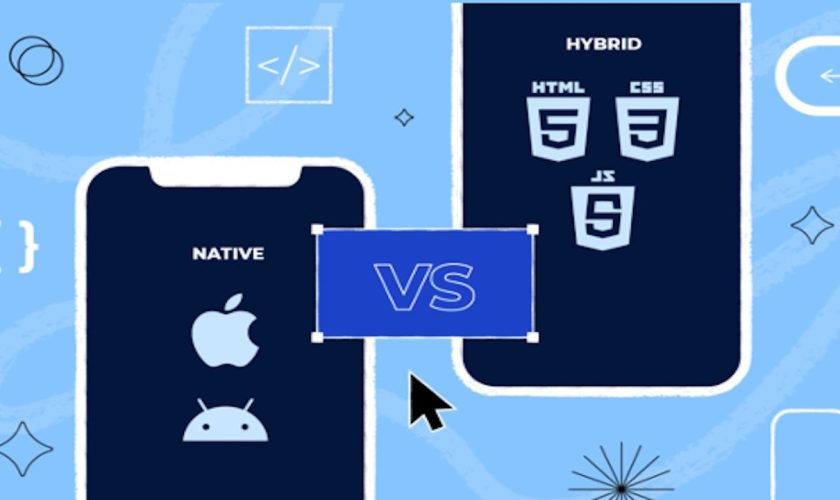
Native application development involves writing separate codebases specifically for iOS and Android using platform-authorized programming languages. This approach yields significantly faster execution speeds, fluid graphical transitions, superior memory optimization, and seamless access to core hardware components like cameras, accelerometers, and biometric sensors. Hybrid apps are quicker to build but often suffer from slower performance and clunky user interfaces under heavy processing loads.
How should micro-interactions be utilized within an application interface?
Micro-interactions are subtle visual or sensory responses that occur when a user performs a specific action, such as a gentle vibration when a switch is flipped, a smooth color transition when a button is pressed, or a playful pull-down animation when refreshing a feed. These small details provide clear physical confirmation that the system has registered the input, making the entire user experience feel interactive, polished, and satisfying.
What is the role of caching in optimizing mobile application storage consumption?
Caching allows an application to store heavy static assets, such as images, brand logos, user profile structures, and core data templates, directly within the local storage of a smartphone. This practice prevents the application from redownloading the exact same media files every time a screen is viewed, significantly reducing mobile data usage for the consumer while drastically lowering server load and decreasing page response times.